Section 1: The Price Is Not a Number - Problem Understanding & Clarifications
Executive Summary: This section covers the first ten minutes of a Staff-level price-watch interview. We decompose the prompt into what, who, why and how, then work through a short clarifying exchange in which every answer kills or shapes part of the design: which price counts, where authoritative prices come from, which marketplace, how fresh, who the user is, and how they hear about a drop. We close by writing down the assumptions and meeting Maya, our running example. The lesson that carries forward is that "the price" is a definition and a supply problem before it is a number.
The interviewer reads you one sentence:
"Design the backend for a browser extension that lets shoppers watch Amazon products. A user opens a product page, sets a target price, and when the price drops to or below that target we send them a Web Push notification — reliably, and exactly once from their point of view."
It sounds like a cron job with a comparison operator. It isn't, and the words that give it away are "the price". An Amazon product page has a featured offer, third-party sellers, used listings, clip-on coupons, Subscribe & Save and Prime-only deals, often all at once. Before you can tell anyone a price dropped, you have to agree on which price you mean, who you may get it from, and how often you can afford to ask. The interviewer also stresses backend focus, product-level scheduling, sharded evaluation and idempotent delivery: the walls this design is graded on.
Key Insight: In a notification system, being wrong costs more than being slow. A late alert annoys one person. A false alert about the wrong price goes to everyone watching the product at once. So the first questions you ask are about where truth comes from, not about throughput.
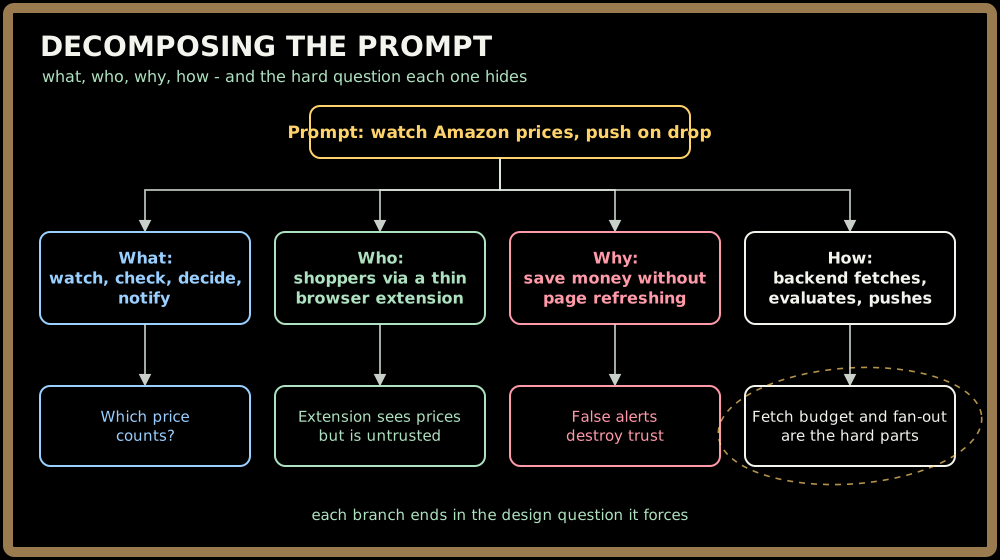
Decomposing the Prompt
Before asking anything, map the territory out loud:
- What it does: four verbs: watch a product at a target, check its price, decide who crossed their target, notify them. Everything else is support for one of those four.
- Who uses it: shoppers on a browser extension, which is a thin client. The prompt implies something less obvious too: the extension sees the price on every page view, but it runs on the user's machine, so anyone can rewrite it.
- Why it exists: to save shoppers money without refreshing pages. Trust is the product: one false alert and people uninstall.
- How it works: the backend fetches prices, detects changes, evaluates watches and pushes. Mostly the system talks to users, not the reverse.
Sign in to continue reading
The rest of this lesson is available with a free account. Signing in with Google or Microsoft is free.
Sign in to read the full lesson